Womb Mates App Support
Need help with Womb Mates? Contact us at support@wombmates.app. We aim to respond within 48 hours.
For any issues with the app please include where possible the device model, iOS or Android version and a short description of the problem so we can help faster.
Frequently Asked Questions
How does caregiver sharing work?
Caregiver sharing is available for paid users. You can share access to your account with up to 3 caregivers. Each caregiver gets their own login and can view and log feeds and diaper changes for your babies.
How do I invite a caregiver?
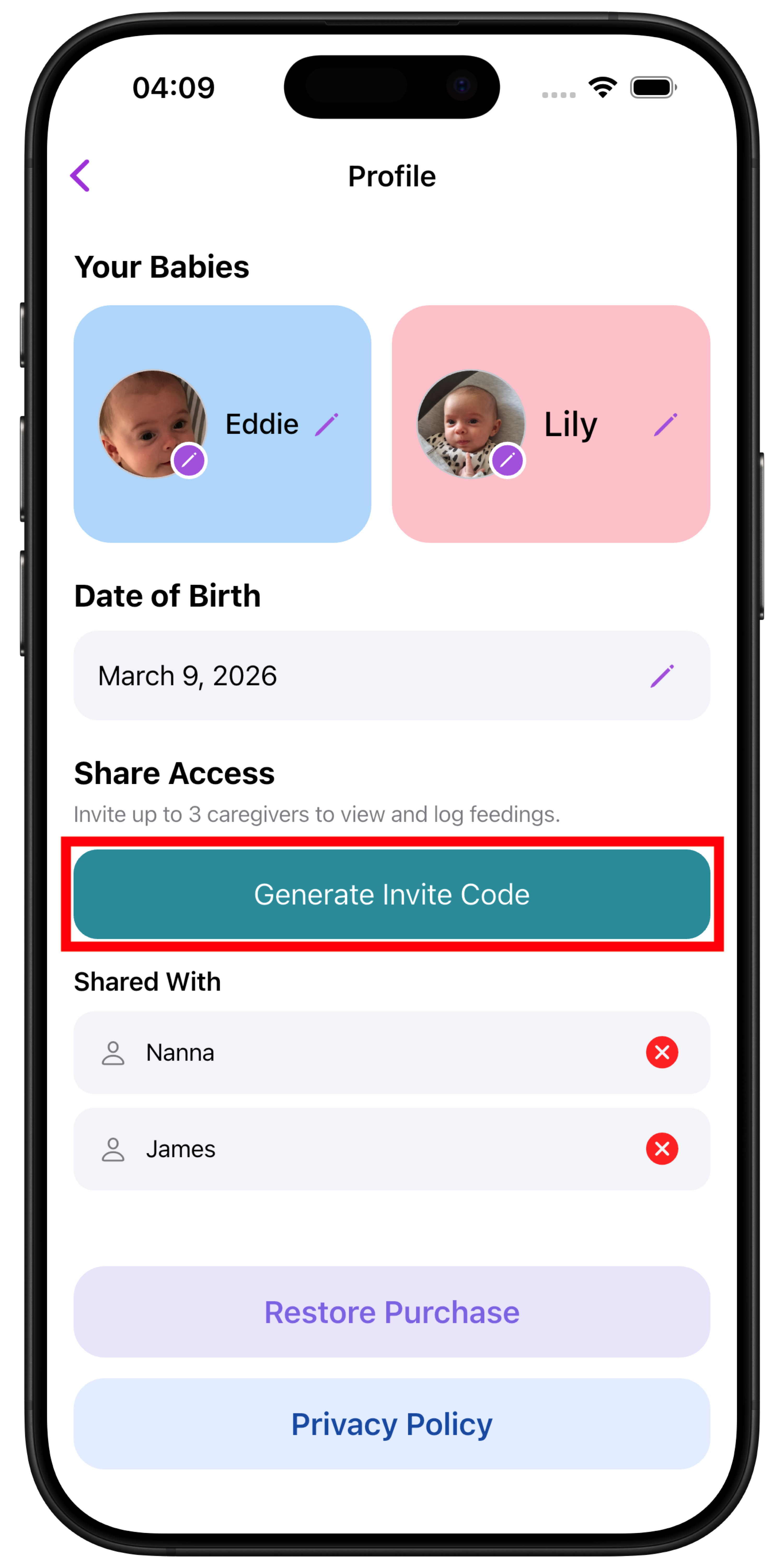
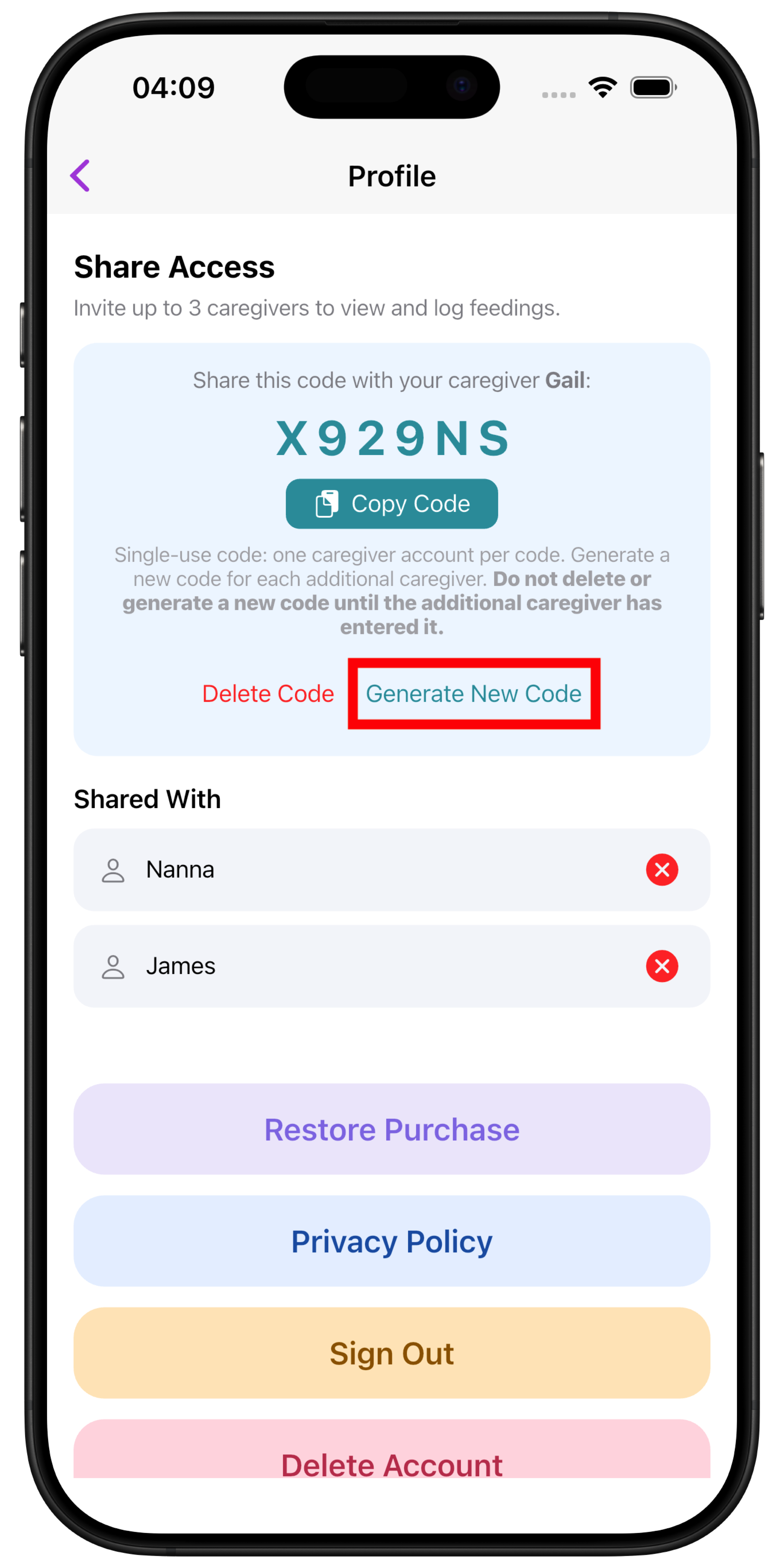
Go to your Profile and under Share Access select Generate Invite Code. Enter the caregiver's name and an invite code will be generated. Share this 6-character code with them.
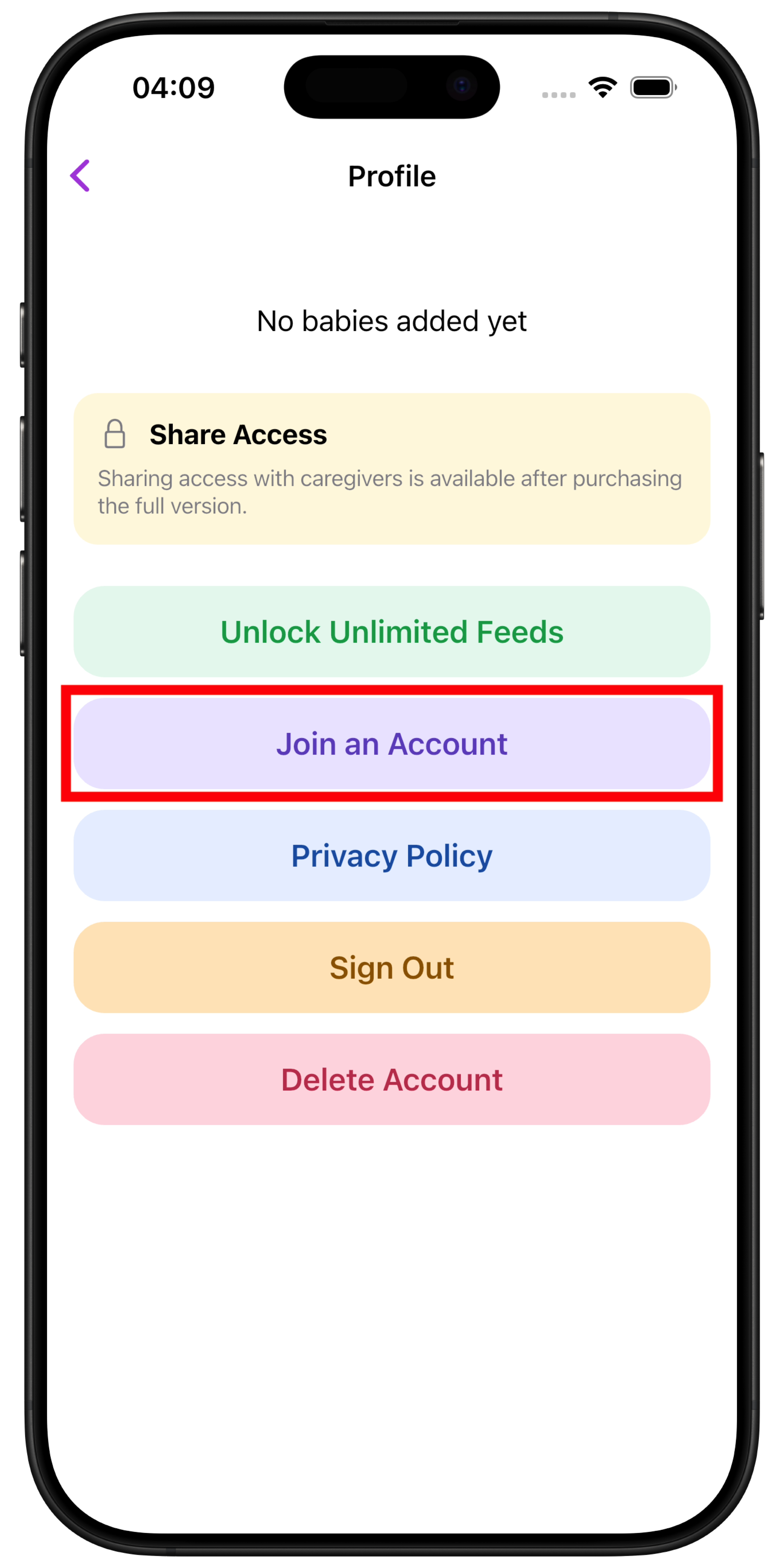
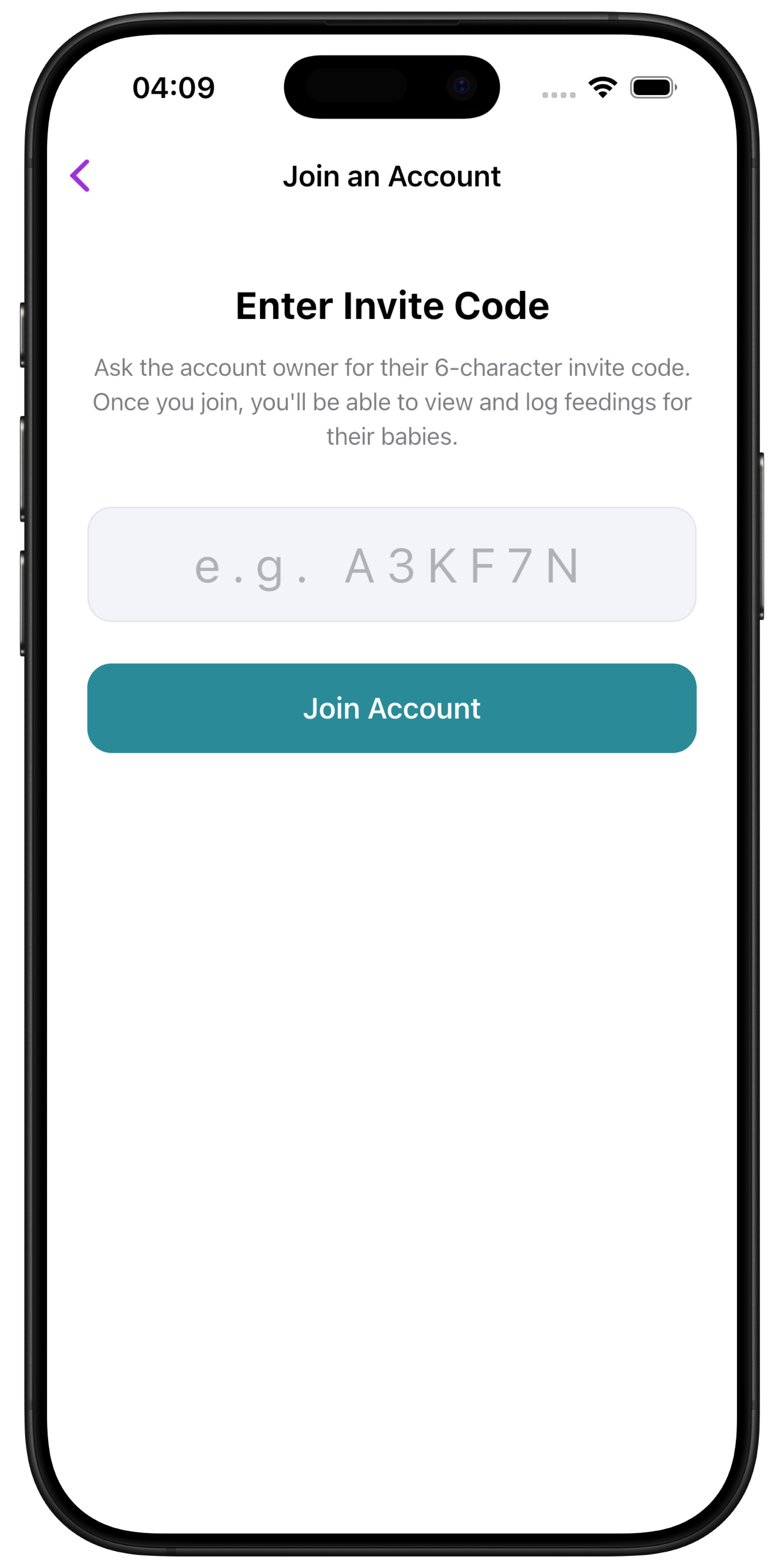
The caregiver must first create their own free trial account, then enter the code in their app under Join an Account.
Are invite codes single-use?
Yes. Each invite code can only be used once. Once a caregiver joins with a code, it becomes inactive.
How do I generate a new invite code?
If you need a new code, go to Profile -> Generate Invite Code and generate a new one.
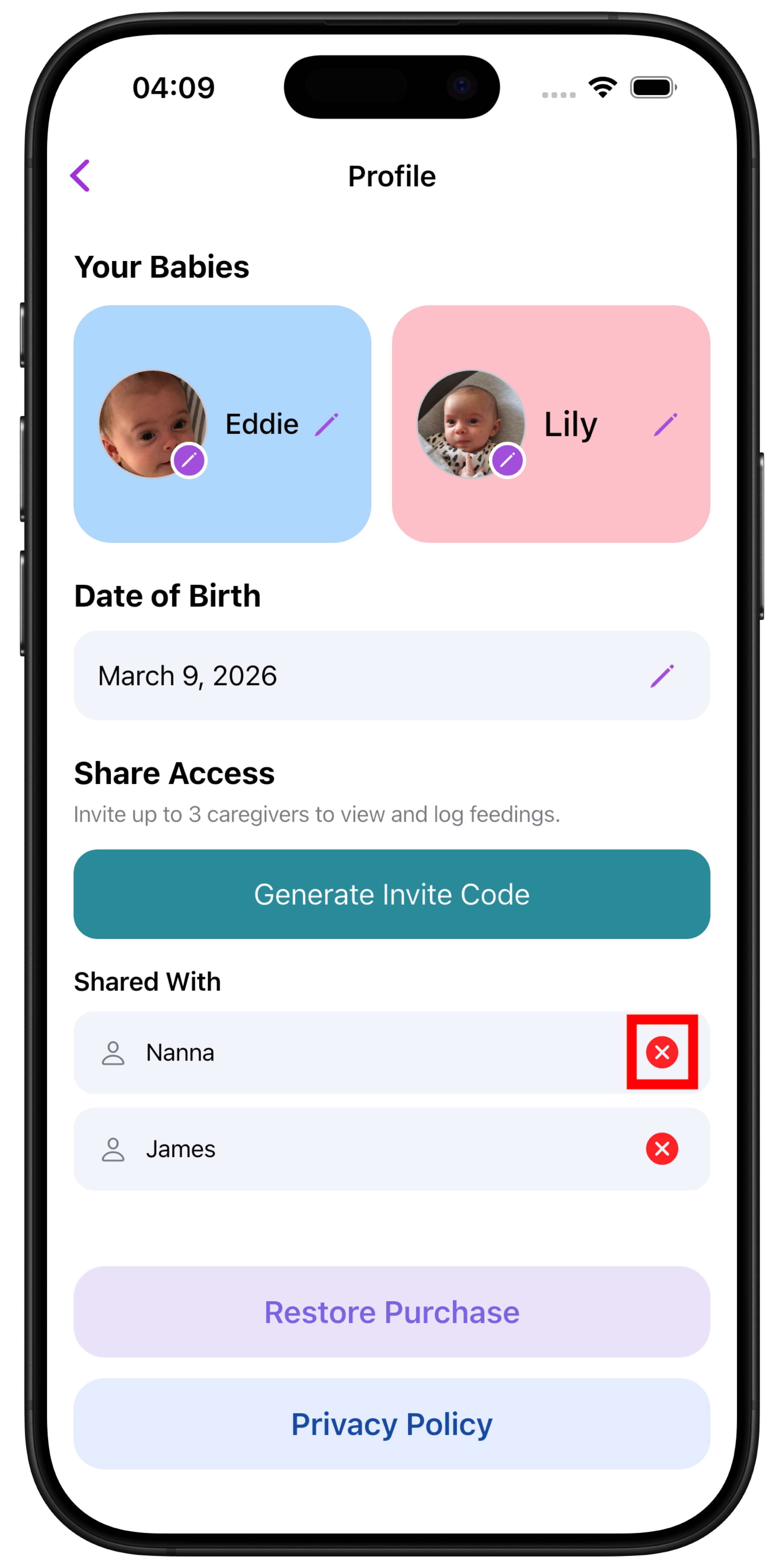
How do I revoke a caregiver's access?
Go to Profile -> Share Access, find the caregiver in your linked members list, and remove them. They will immediately lose access to your account and data.
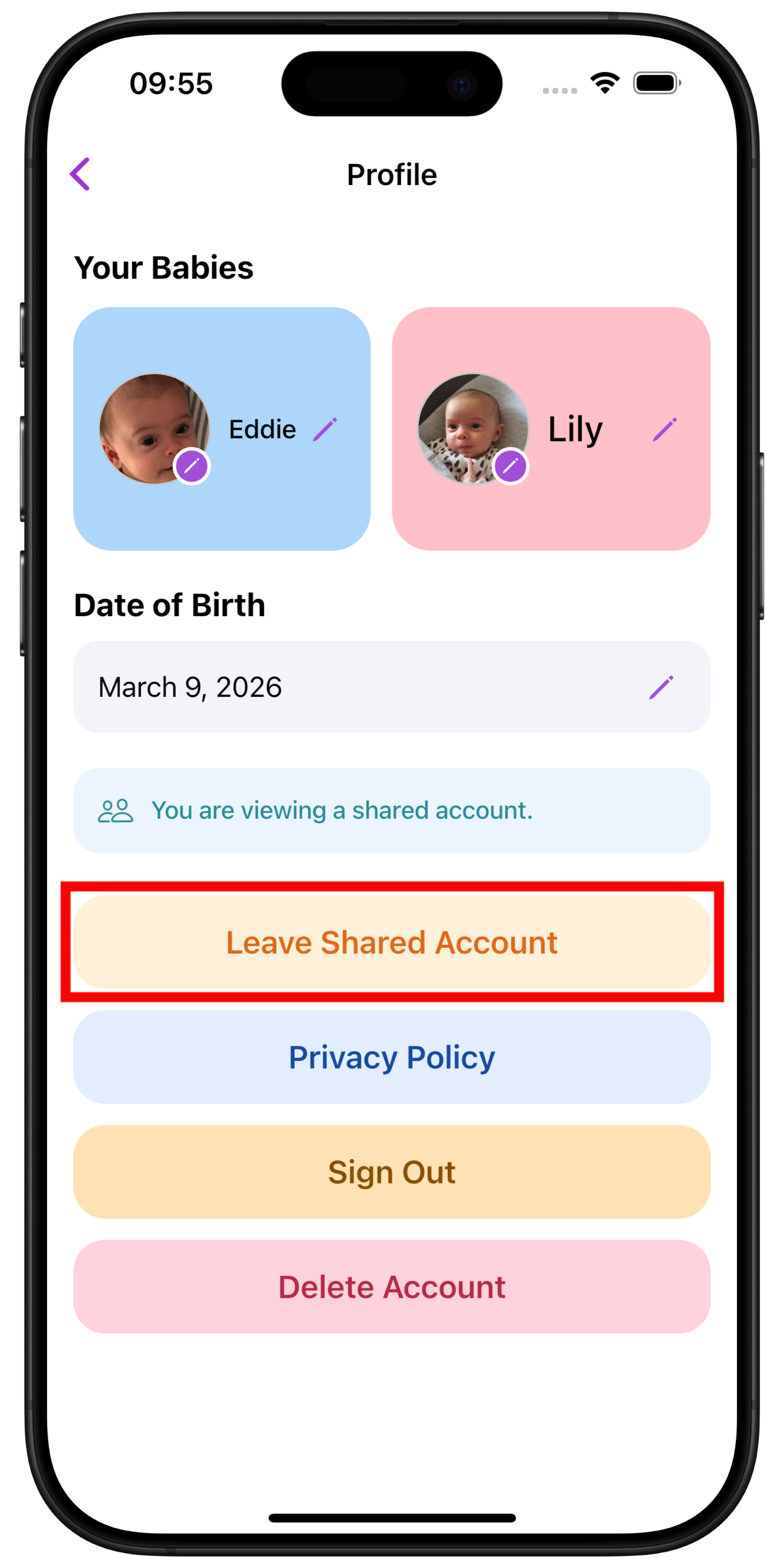
Can a caregiver leave on their own?
Yes. A linked caregiver can go to their Profile and tap Leave Shared Account to unlink themselves at any time.
How many caregivers can I link?
Up to 3 caregivers can be linked to one account at a time.
Do caregivers need their own account?
Yes. Each caregiver must create their own free trial account first so they have their own login. Once linked, their access is based on the account owner's purchase status.
How do I log a diaper change?
From the home screen tap Diaper, choose a baby, then pick the type of change. You can log Pee, Poo, Mixed or Dry.
Can I record how much was in the diaper?
Yes. Pee and Poo changes have a size of Little, Medium or Big. A Mixed change lets you set a size for each. Dry changes have no size.
Can I add a note or change the time?
Yes. Each change has an optional note and you can adjust the time before saving, for example when logging a change after the event.
Where do I see past diaper changes?
Open History from the home screen. Use the All, Feeds and Diapers filter to show only diaper changes. The time of the last change is also shown when you open a baby on the diaper screen.
Do diaper changes count toward the free trial?
Yes. Feeds and diaper changes share the same 50 free records. See the free trial answer below.
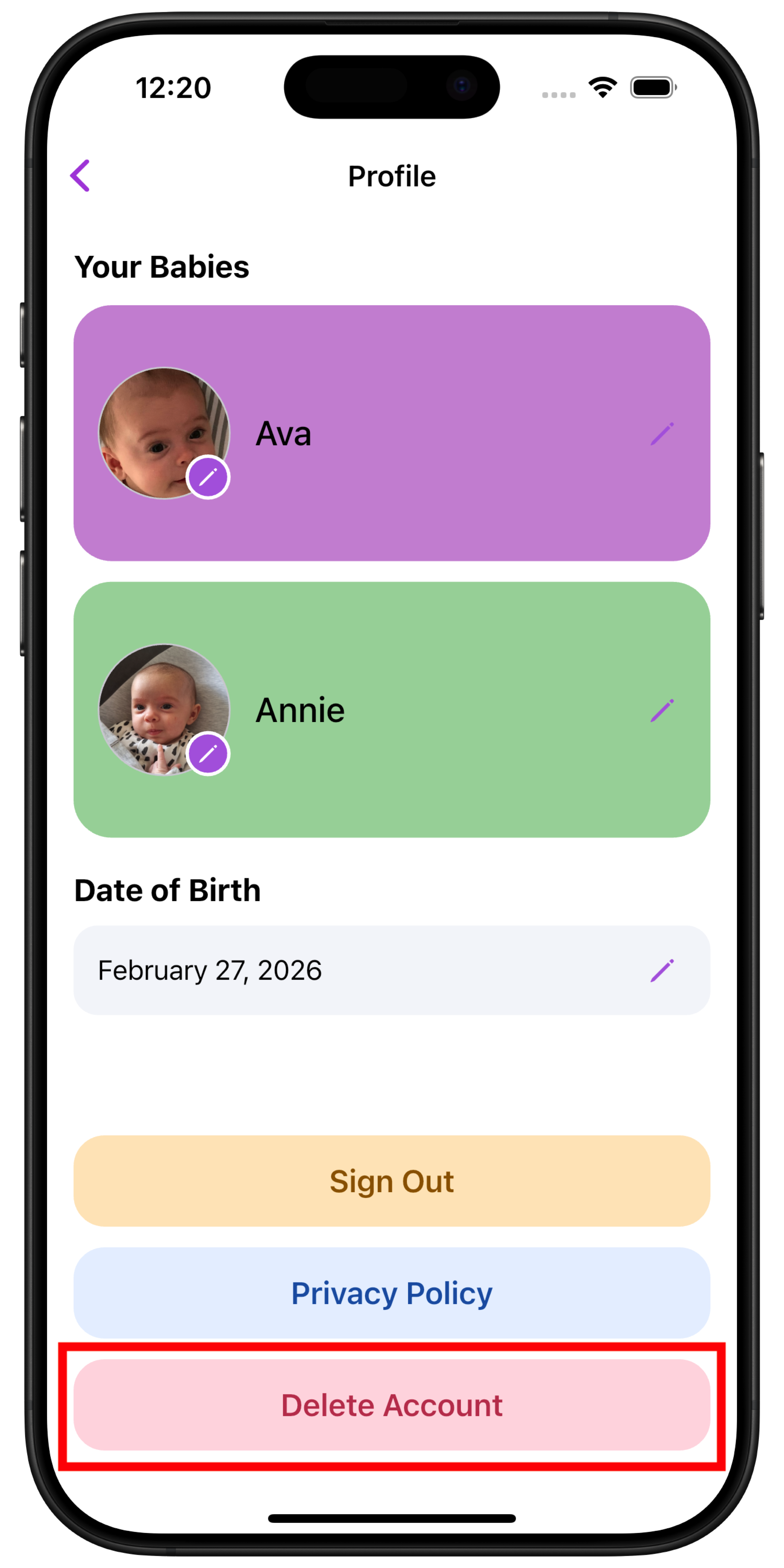
How do I delete my account and data?
To delete your account, open the app and go to Profile -> Delete Account.
What happens when I delete my account?
It depends on your account type:
If you're the account owner
Completing account deletion permanently removes your baby profiles, feeding and diaper records, account document, uploaded profile photos and active invite codes from the app backend. Linked caregivers lose access to the shared cloud data. Deletion cannot remotely erase information already downloaded, cached or copied to other devices. This action cannot be undone.
If you're a linked caregiver
Your account is deleted and you are automatically unlinked from the owner's account. The owner's data, including babies, feeding records and diaper records, is not affected. Only your own account and any data you created independently are removed.
What data may remain?
Previously submitted crash reports are not automatically erased when you delete your account. Firebase Crashlytics retains them and associated identifiers for 90 days before starting removal from live and backup systems. Contact support@wombmates.app to request deletion of reports linked to your account.
Authentication backups and purchase-provider records follow separate retention periods. Offline copies may remain on other devices. See the privacy policy for details.
Is account deletion permanent?
Yes. There is no way to recover your account or data after deletion. You will be asked to confirm your password before deletion proceeds.
How do I delete a feeding or diaper record?
To remove an individual feeding or diaper record, open the History page and swipe right to left on the entry you want to delete.
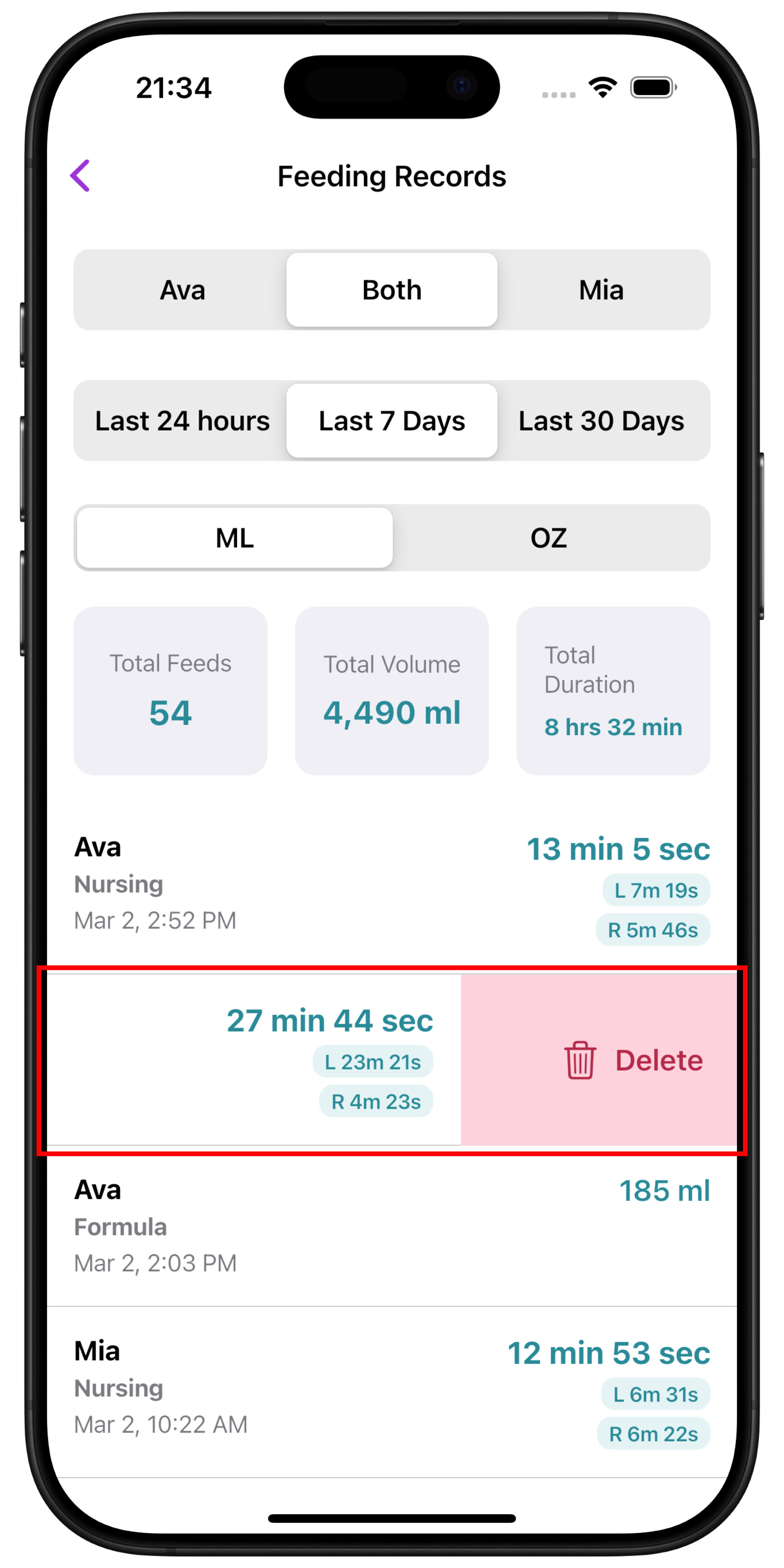
A confirmation prompt will appear. Tap Delete to permanently remove the record.
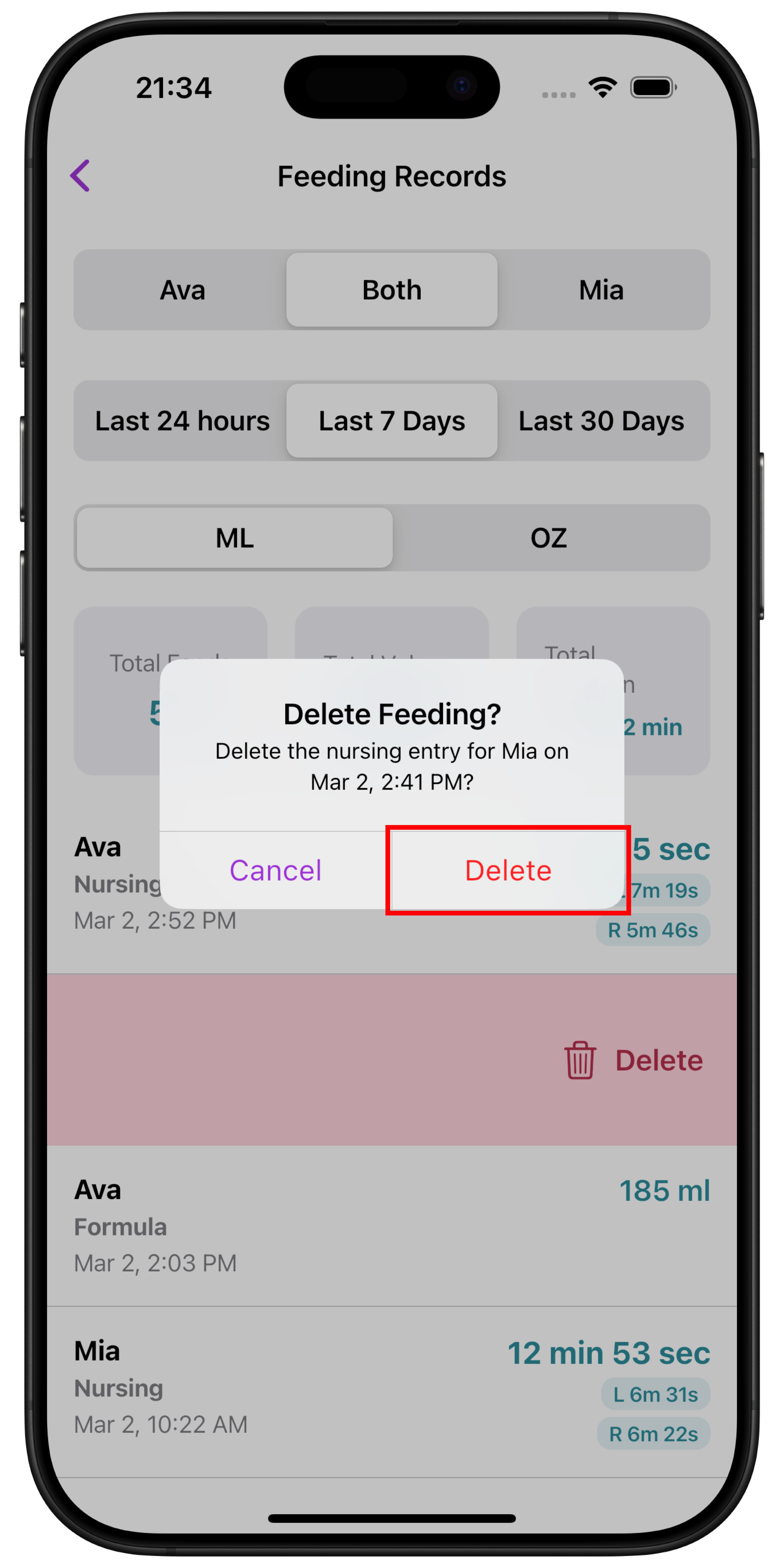
Deleted records cannot be restored, so please ensure you have selected the correct entry before confirming.
How does the free trial work?
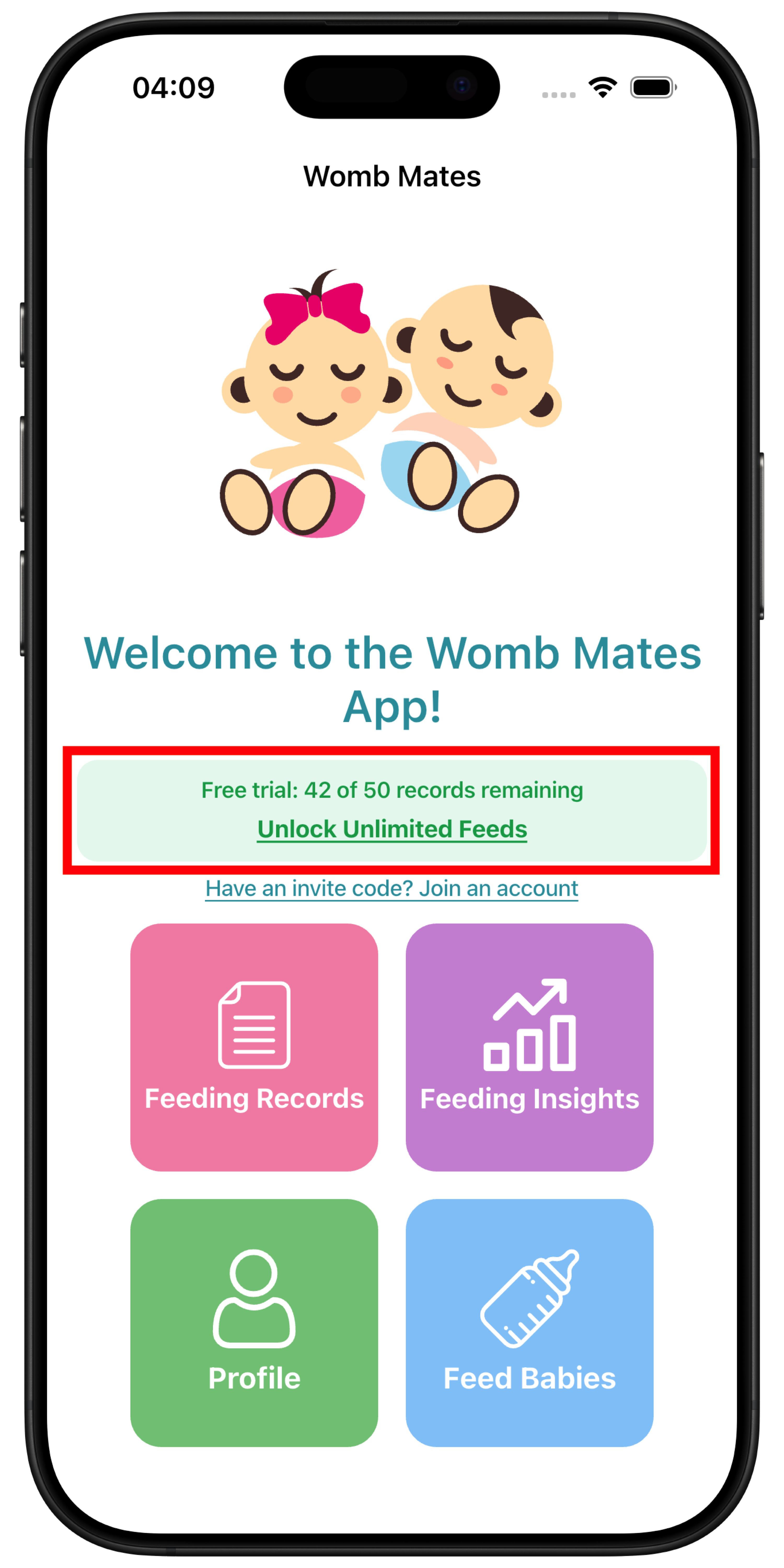
You get 50 free records to try the app before purchasing. There's no time limit. The trial is based on the number of records, not days.
What counts toward my 50 records?
Every feed and every diaper change you log counts toward your trial total, including records saved while offline.
What happens when I reach the limit?
Once you've logged 50 records, you'll be prompted to purchase to continue adding records. You can still view all your existing data.
How many records do I have left?
A banner at the top of the app shows how many trial records remain, for example 8 of 50 remaining.
Do linked caregivers have their own trial?
No. Linked caregivers are covered by the account owner's purchase status. If the owner has purchased, the caregiver has full access with no trial limits.
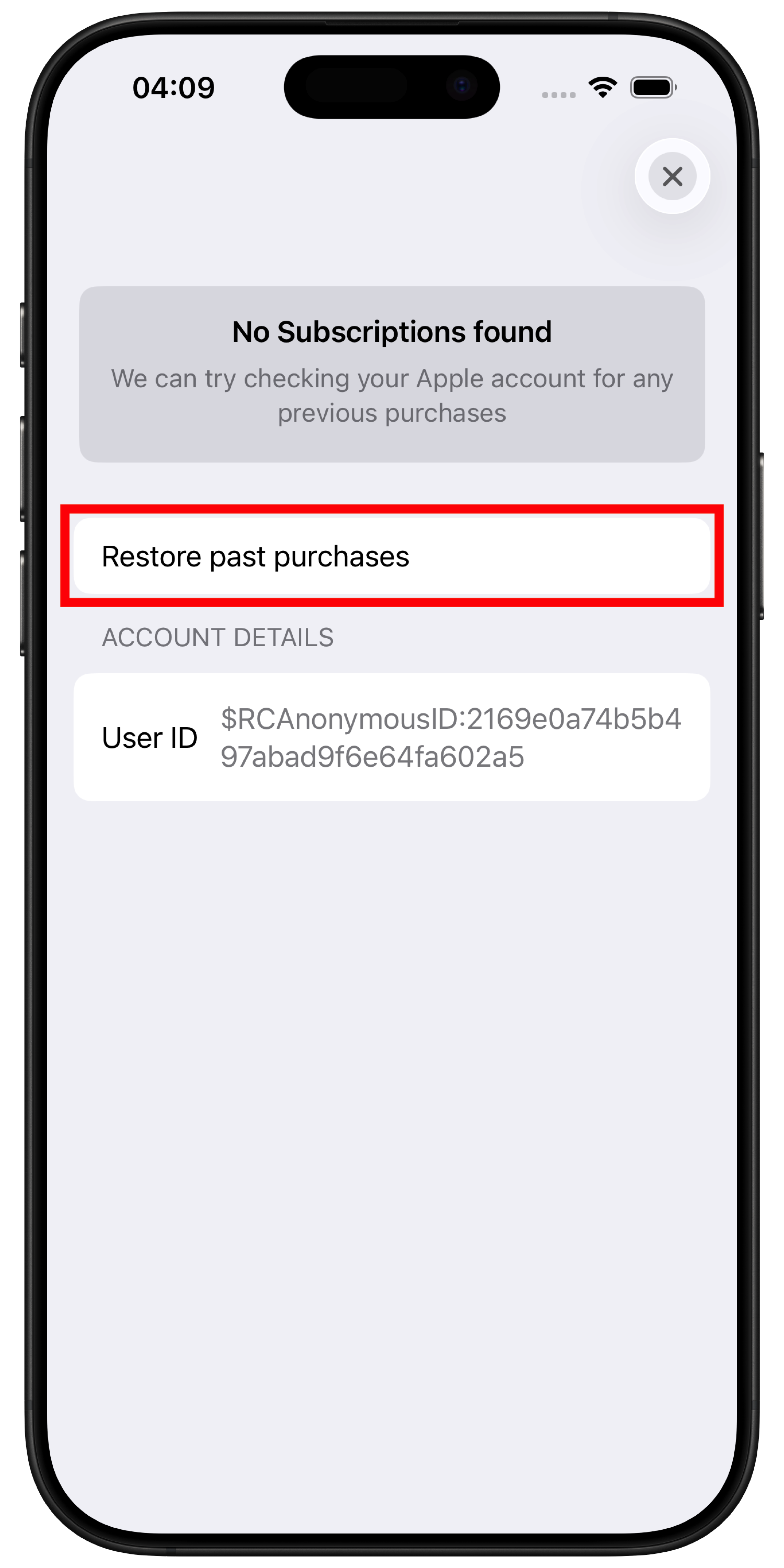
How do I restore my purchase on a new device?
To restore your purchase on a new device:
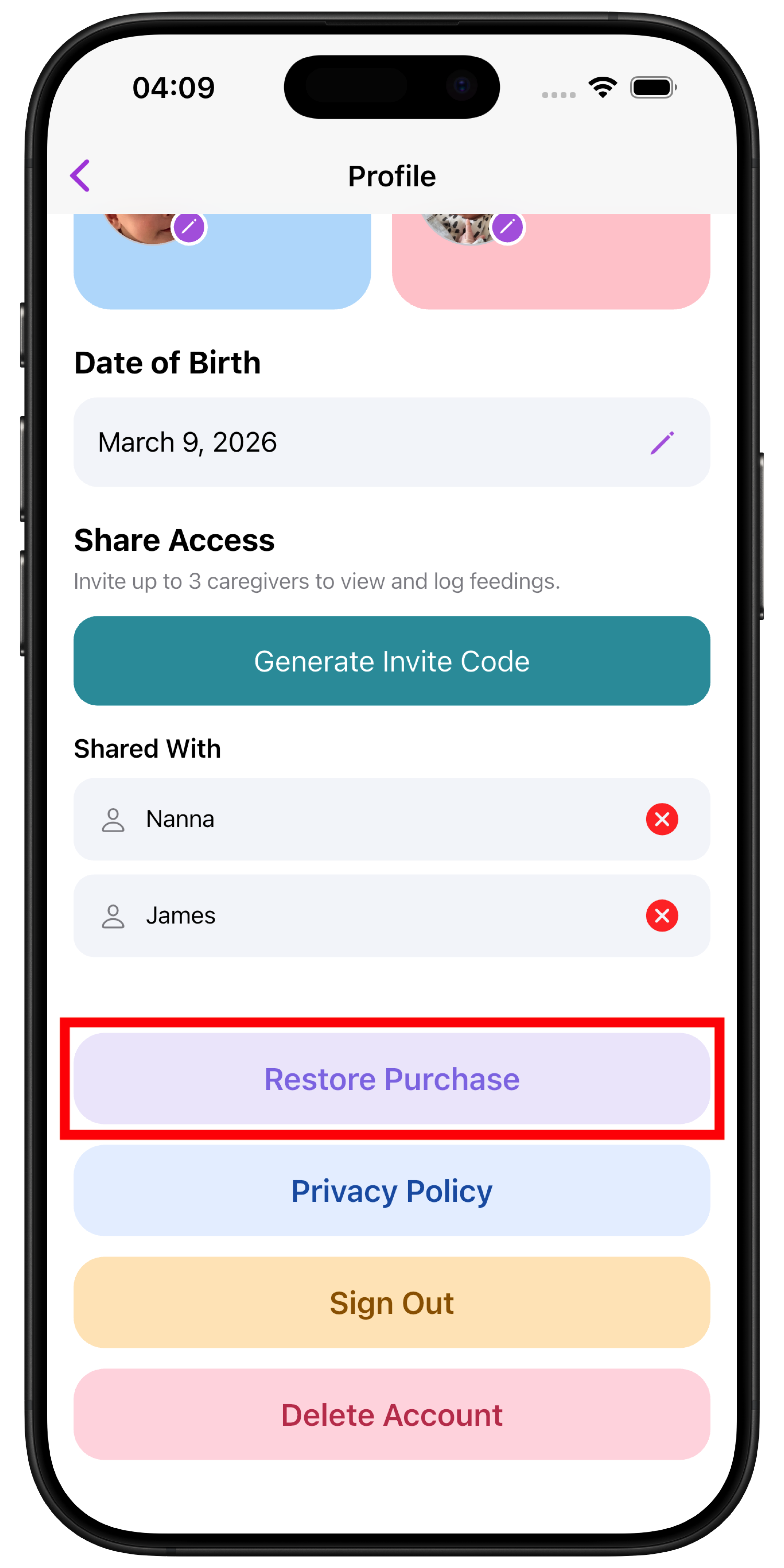
- Go to Profile.
- Tap Restore Purchase.
- The app will check your App Store or Google Play account for a previous purchase and unlock the app if one is found.
Why isn't my purchase showing up?
Make sure you're signed into the same App Store or Google Play account you used when you originally purchased. If the restore still fails, contact support.
Do I need an internet connection to restore?
Yes, an active internet connection is required to verify and restore your purchase.
Will restoring a purchase affect my existing data?
No. Restoring a purchase only unlocks the app. It does not delete or change any of your feeding records, diaper records or baby profiles.
How is my data handled?
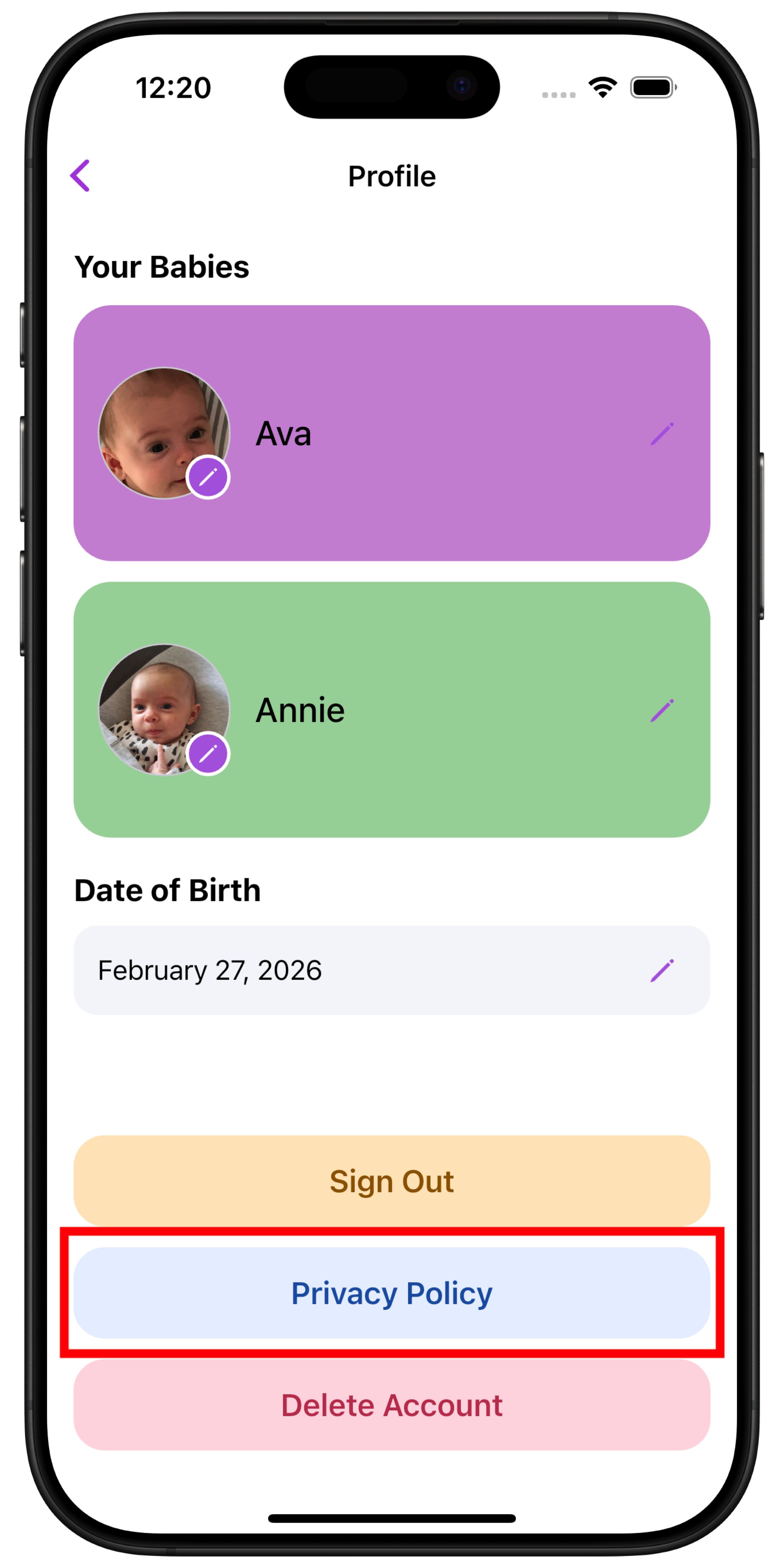
We take privacy seriously. Womb Mates processes account details, baby profiles, feeding and diaper records, purchase information and technical diagnostics to provide and maintain the service. Optional website analytics runs only with your consent. You can read our full Privacy Policy here.
You can also view it anytime in the app under Profile → Privacy Policy.
What are the terms of use?
Womb Mates is provided subject to our Terms of Use, which explain how the app may be used and the responsibilities of both users and the developer.
You can read the full Terms of Use here.
These terms apply when creating an account or using the Womb Mates app.
Have a feature request or idea?
We’re actively improving Womb Mates. If there’s something you’d love to see, email us at support@wombmates.app. We read every message!